


Everything you need to know about pos applications for your business
In today’s fast-paced business environment, efficiency is key to success. Businesses need tools that help them operate seamlessly while enhancing customer experiences. One such indispensable tool is the point of sale (POS) application. But what exactly is a POS system, and why is it so essential for businesses of all sizes?
This guide will provide an in-depth understanding of POS applications, their significance, and how they can transform business operations. From managing sales transactions to streamlining inventory, a well-integrated POS system can make a substantial difference in how a business functions.
Understanding a POS system
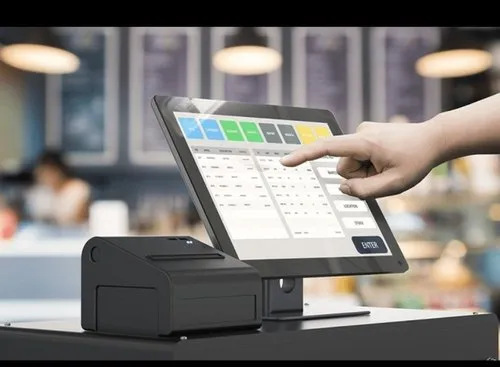
A point of sale (POS) system is a combination of hardware and software designed to process sales transactions efficiently. It acts as the central hub where businesses conduct transactions, manage inventory, process payments, and enhance customer interactions. Unlike traditional cash registers, modern POS systems have evolved into comprehensive business management tools, providing features that go beyond simple transaction processing.
Why businesses need a POS system
A POS system plays a crucial role in business operations by ensuring smooth and accurate transactions. More than just a tool for ringing up sales, it enhances inventory tracking, sales analysis, and customer relationship management. Businesses using a POS system can reduce errors, optimize workflow, and make data-driven decisions that improve overall efficiency.
Evolution of POS systems
POS systems have come a long way from their early days. The concept originated in the late 1800s with mechanical cash registers designed to record sales and prevent employee theft. Over time, these systems evolved into electronic cash registers, incorporating barcode scanners and credit card processing. With the rise of digital technology, POS systems transitioned from traditional setups to cloud-based solutions, offering businesses flexibility, real-time data access, and mobile capabilities. Today, advanced POS applications integrate artificial intelligence, automation, and analytics, transforming the way businesses operate.
Key components of a POS system
A POS system consists of two primary components: hardware and software. Both elements work together to ensure seamless transactions and efficient business management.
Hardware components
- POS terminal: The main device where sales transactions are processed. This could be a touchscreen tablet or a dedicated POS machine.
- Barcode scanner: Used to scan product barcodes for quick entry into the system, reducing manual errors.
- Receipt printer: Generates printed receipts for customers, providing a summary of their purchase.
- Cash drawer: A secure compartment for storing cash, checks, and receipts, usually opening automatically during cash transactions.
- Card reader: Facilitates secure electronic payments through credit cards, debit cards, and contactless payment methods.
Software features
- Payment processing: Enables businesses to accept multiple payment methods, including digital wallets, ensuring a seamless checkout experience.
- Inventory management: Tracks stock levels in real time, updates product availability, and alerts businesses when restocking is needed.
- Sales reporting: Provides valuable insights into sales trends, customer preferences, and overall business performance.
- Customer relationship management (CRM): Helps businesses manage customer interactions, track purchase history, and implement loyalty programs.
- Employee management: Assists in tracking work hours, managing shifts, and evaluating employee performance.
Benefits of using a POS system
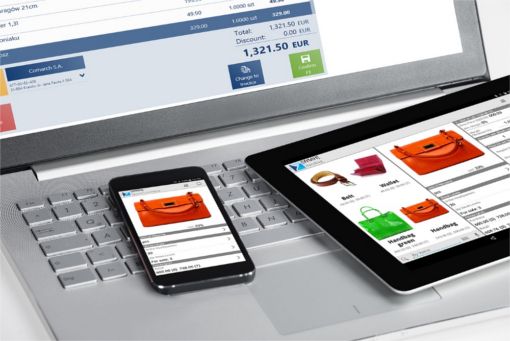
A well-integrated POS system offers numerous advantages, making it a valuable asset for businesses looking to streamline operations and improve customer satisfaction.
Faster and more accurate transactions
POS applications eliminate manual errors, speed up transactions, and reduce long queues, ensuring a smoother customer experience. The automation of price calculations and tax applications ensures accuracy in every sale.
Better inventory management
With real-time inventory tracking, businesses can monitor stock levels, prevent shortages, and make informed purchasing decisions. This feature is particularly useful for retail and restaurant businesses that need to manage perishable goods efficiently.
Enhanced customer experience
A POS system allows businesses to offer personalized services by tracking customer preferences and purchase history. Loyalty programs, discounts, and targeted promotions can be implemented to increase customer retention.
Improved business insights
Detailed reports generated by POS software provide businesses with valuable insights into sales trends, peak hours, and best-selling products. These analytics help business owners make data-driven decisions that drive growth.
Seamless integration with other business tools
Modern POS applications integrate with e-commerce platforms, accounting software, and marketing tools, creating a unified business management system. This interconnected approach enhances operational efficiency and ensures consistency across all sales channels.
Choosing the right POS system
Selecting a POS system requires careful consideration of a business’s specific needs. Factors such as business size, industry, and budget should be taken into account. Cloud-based POS solutions offer flexibility and remote access, making them ideal for businesses with multiple locations. On the other hand, traditional on-premise POS systems provide more control over data security and customization.
When evaluating different POS providers, businesses should look for systems that offer scalability, user-friendly interfaces, and reliable customer support. Investing in a feature-rich POS application ensures long-term benefits and operational efficiency.
How POS systems work
Point of Sale (POS) systems play a crucial role in modern businesses by streamlining transactions, tracking inventory, and enhancing customer experiences. These systems integrate hardware and software to efficiently process sales, manage data, and ensure smooth business operations.
Understanding the transaction process
A POS transaction starts when a customer selects products for purchase. The cashier scans the barcode of each item using a barcode scanner, automatically updating the inventory and calculating the total amount due. The customer then selects a payment method, such as cash, credit card, mobile payment, or digital wallet. The POS system processes the payment using its built-in software, ensuring a secure and seamless transaction.
Once the payment is confirmed, a receipt is printed, and if the customer pays with cash, the cash drawer opens for change collection. The system simultaneously records the transaction details in the sales reporting database for future analysis. These records help businesses track revenue, manage stock levels, and analyze customer purchasing patterns.
Key features of POS systems
POS systems come with several features that improve business efficiency and customer satisfaction. Some of the most essential features include:
- Integrated payment processing: Businesses can accept multiple forms of payment, including credit and debit cards, digital wallets, and contactless transactions, making the checkout process smooth and convenient for customers.
- Inventory management: Real-time tracking of stock levels ensures businesses maintain optimal inventory, preventing overstocking or running out of popular products.
- Sales reporting and analytics: POS systems generate detailed reports on sales trends, peak hours, and top-selling products, enabling businesses to make data-driven decisions.
- Customer relationship management (CRM): Features like customer profiles, purchase history, and loyalty programs help businesses personalize interactions and improve customer retention.
- Employee management: Many POS systems include time-tracking and performance monitoring tools, helping businesses manage staff productivity and streamline payroll processes.

Types of POS systems
Businesses have various POS system options, each catering to different needs and industries. The right choice depends on business size, operational style, and specific industry requirements.
Traditional vs. cloud-based POS systems
Traditional POS systems are installed on local servers, requiring dedicated hardware and on-site maintenance. They provide stability and security but come with higher upfront costs and limited accessibility. In contrast, cloud-based POS systems operate online, allowing businesses to manage transactions and data from any location. These systems offer automatic updates, remote access, and lower initial investments, making them a more flexible and cost-effective option.
Mobile POS systems
Mobile POS systems utilize smartphones, tablets, or wireless terminals to process transactions anywhere. These systems are particularly beneficial for businesses with mobile operations, such as food trucks, pop-up stores, and outdoor markets. By enabling businesses to accept payments on the go, mobile POS solutions enhance convenience and operational flexibility.
Industry-specific POS solutions
Different industries have unique requirements that a tailored POS system can fulfill. For example:
- Cafes and restaurants require features like table management, order customization, and split billing.
- Retail stores benefit from advanced inventory tracking, customer loyalty programs, and barcode scanning.
- Hotels and resorts require reservation management, guest billing integration, and multi-location support.
- E-commerce businesses need seamless integration with online stores, shopping carts, and digital payment gateways.
Advantages of using a POS system
Implementing a POS system provides businesses with several advantages, from operational efficiency to improved customer satisfaction.
Increased efficiency and accuracy
By automating sales and inventory management, POS systems significantly reduce human error. Employees can process transactions quickly, track stock in real-time, and avoid discrepancies in pricing or inventory counts. This automation leads to smoother business operations and reduced workload for staff.
Enhanced customer experience
A fast and seamless checkout process contributes to a better customer experience. POS systems allow businesses to offer various payment options, apply discounts, and process returns effortlessly. Additionally, CRM features help personalize interactions, making customers feel valued and increasing their likelihood of returning.
Better inventory management
One of the most crucial aspects of running a business is maintaining proper inventory levels. A POS system provides real-time stock updates, alerts for low stock levels, and detailed inventory reports. This helps businesses avoid lost sales due to stockouts and reduces excess inventory, optimizing storage and costs.
Data-driven decision making
POS systems collect and analyze sales data, offering insights into customer preferences, peak business hours, and product performance. With access to these analytics, businesses can adjust pricing strategies, optimize staffing, and implement targeted marketing campaigns, ultimately increasing profitability.
Security and fraud prevention
Modern POS systems include security features such as encrypted transactions, user authentication, and fraud detection tools. These safeguards protect both business owners and customers from potential financial risks and unauthorized access to sensitive data.
Drawbacks and considerations
Understanding the costs and security challenges
While POS systems offer significant advantages in streamlining business operations, they come with certain costs and security concerns that need to be carefully considered. The initial investment in hardware and software can be substantial, depending on the features required. Beyond the upfront costs, businesses must also account for ongoing expenses such as software updates, maintenance, and technical support.
Another crucial aspect is security. POS systems handle sensitive customer data, including credit card details, making them a potential target for cybercriminals. Businesses must implement robust security measures, such as encryption and multi-factor authentication, to protect customer information and maintain trust. Regular software updates and compliance with industry security standards are essential in preventing data breaches and fraudulent transactions.
Choosing the right POS system
Factors that influence the right choice
Selecting a POS system is not a one-size-fits-all decision. Businesses must evaluate their unique requirements based on several key factors:
- Business type: A retail store may require a POS with strong inventory management features, while a restaurant may need order-tracking and table management functionalities.
- Budget: While cost is an important factor, businesses should consider the long-term value of the POS system rather than just the initial investment.
- Scalability: As businesses grow, their POS system should be able to accommodate expansion, additional locations, and new features.
- Integration capabilities: The ability to integrate with existing software, such as accounting tools and customer relationship management (CRM) systems, is essential for smooth operations.
The impact of a well-suited POS system
Choosing the right POS system ensures that businesses maximize efficiency and enhance the customer experience. A system tailored to business needs simplifies transactions, improves accuracy, and provides valuable insights through sales reports and analytics. Additionally, the right POS system can help build customer loyalty by streamlining promotions, discounts, and loyalty programs, ultimately contributing to business growth.
Implementation and setup
Setting up the hardware and software
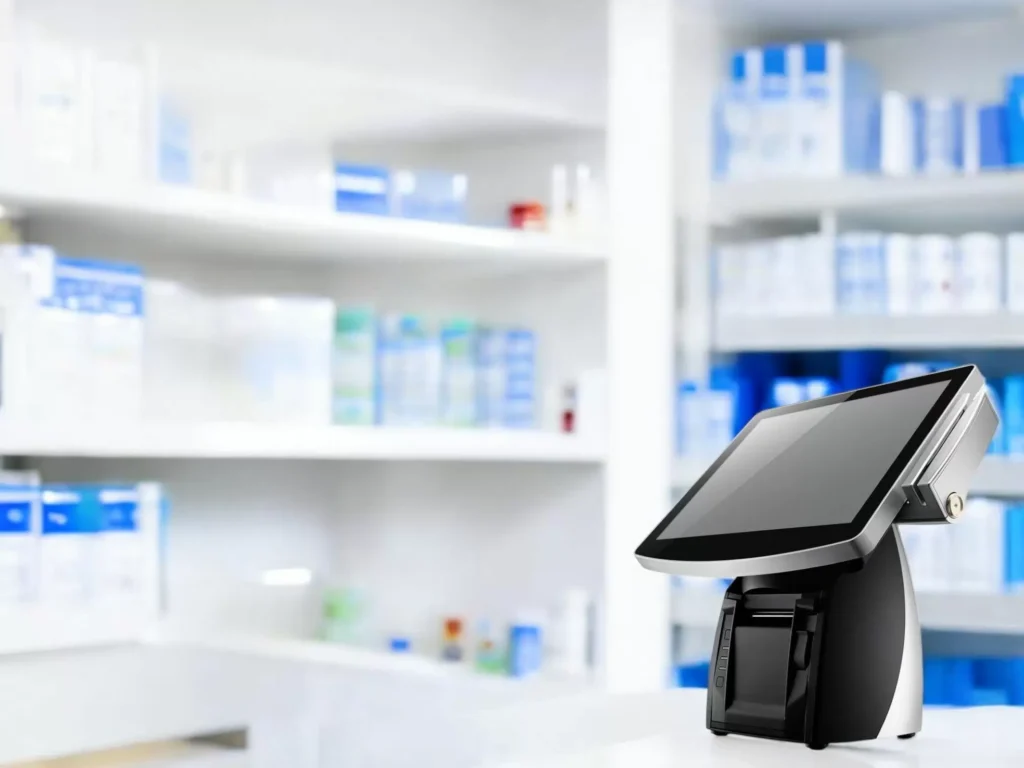
Implementing a POS system requires careful planning to ensure seamless integration into daily operations. Below are the fundamental steps for setting up both the hardware and software:
- Selecting the POS system – Choose a system that aligns with your business requirements and offers the necessary features.
- Installing hardware components – Set up essential devices such as a touchscreen display, barcode scanner, receipt printer, cash drawer, and payment terminal.
- Configuring the software – Install and customize the POS software to match business operations, including tax settings, discounts, and employee access.
- Integrating payment processing – Set up payment methods, including credit and debit card processing, mobile payments, and contactless transactions.
- Entering inventory data – Add products, pricing details, and stock levels to enable real-time inventory tracking.
- Setting up sales reporting tools – Configure analytics and reporting features to monitor sales performance and trends.
- Implementing CRM features – Integrate customer management tools for tracking interactions, purchase history, and loyalty programs.
- Training staff – Ensure employees are well-trained to use the POS system efficiently and handle transactions accurately.
Integrating a POS app into business operations
For businesses using mobile or cloud-based POS apps, the setup process follows a similar structure but focuses on flexibility and remote accessibility. The key steps include:
- Assessing business needs – Determine the essential features required, such as inventory management, sales tracking, and customer engagement tools.
- Choosing a compatible app – Select a POS app that works seamlessly with existing business software and devices.
- Downloading and installing the app – Follow the setup instructions to install the app on compatible devices.
- Customizing the settings – Configure business-specific settings, such as payment methods, employee permissions, and tax rules.
- Testing the system – Conduct trial transactions to ensure smooth functionality and troubleshoot any issues before full implementation.
- Training the team – Provide staff with the necessary training to ensure they understand how to operate the app effectively.
- Launching and monitoring – Go live with the system and regularly monitor performance, making adjustments as needed to optimize usage.
Enhancing efficiency with the right POS system
A well-implemented POS system does more than facilitate transactions—it enhances overall business efficiency. By automating processes such as inventory management, sales tracking, and customer engagement, businesses can save time and reduce errors. Additionally, a modern POS system provides valuable insights into customer preferences and purchasing trends, enabling businesses to make data-driven decisions.
To stay competitive, businesses should continually evaluate their POS system’s performance and make upgrades when necessary. Whether it’s adopting new payment technologies, integrating with e-commerce platforms, or enhancing security features, a well-maintained POS system ensures businesses remain efficient, secure, and customer-focused.
Examples of businesses successfully using pos systems
Starbucks: Enhancing customer convenience with mobile integration
Starbucks, a global coffee chain, has effectively leveraged Square’s POS system to create a seamless experience for customers. The integration with the Starbucks mobile app allows customers to order and pay directly from their smartphones. This digital transformation has not only improved customer satisfaction but also reduced wait times in stores. Additionally, the app’s reward system is seamlessly linked with the POS system, encouraging customer loyalty and repeat visits. By incorporating features such as real-time order tracking and personalized promotions, Starbucks has set a benchmark for how POS systems can enhance customer engagement.
Shopify stores: Unifying online and offline sales
E-commerce businesses and brick-and-mortar stores have greatly benefited from Shopify POS, which provides a unified system to manage both online and in-store transactions. Many small and medium-sized retailers use Shopify POS to streamline inventory management, track sales trends, and analyze customer data. With the ability to synchronize online purchases with physical store inventory, businesses can prevent stock shortages and ensure a smooth shopping experience. The flexibility of Shopify POS also allows businesses to accept multiple payment methods, manage customer loyalty programs, and generate detailed sales reports for strategic decision-making.
Blaze Pizza: Scaling operations with efficient order processing
As a fast-growing fast-casual restaurant chain, Blaze Pizza has implemented NCR Silver’s POS system to optimize its order management and customer service. This system enables real-time inventory tracking, helping the brand prevent shortages and reduce waste. The user-friendly interface allows staff to process orders quickly, even during peak hours, ensuring efficient service. Moreover, NCR Silver integrates with Blaze Pizza’s customer feedback system, allowing management to monitor and improve service quality. The ability to analyze sales data has also helped the brand develop targeted promotions and menu adjustments based on customer preferences.
Revel Systems in retail stores: Driving efficiency across industries
Retail businesses across various industries, including Belkin, Goodwill, and Popeyes, have adopted Revel Systems’ POS technology to enhance operational efficiency. The system offers powerful features such as inventory management, sales tracking, and customer relationship management (CRM). By leveraging these capabilities, businesses can gain insights into customer purchasing patterns, optimize stock levels, and improve overall store performance. The cloud-based nature of Revel Systems ensures that businesses can monitor operations in real time, making it an invaluable tool for companies with multiple locations.
Blue Bottle Coffee: Streamlining operations and customer loyalty
Blue Bottle Coffee has implemented Square’s POS system to handle transactions efficiently while integrating with its loyalty program. This integration allows customers to earn and redeem rewards seamlessly, fostering brand loyalty. The system also enables mobile and contactless payments, catering to the modern consumer’s preference for convenience. Additionally, Blue Bottle Coffee utilizes the reporting features of Square POS to gain insights into peak sales hours, best-selling products, and customer demographics, helping the company tailor its marketing and operational strategies.
Sweetgreen: Optimizing restaurant management with advanced analytics
Sweetgreen, a popular salad and health food chain, relies on Toast POS to manage its high-volume transactions and digital orders. The system supports a range of restaurant-specific features, including kitchen display systems and mobile ordering integration. Toast POS enables Sweetgreen to optimize kitchen operations, ensuring that orders are prepared quickly and accurately. Furthermore, its detailed reporting functions provide insights into ingredient usage, customer preferences, and peak order times, allowing the brand to reduce food waste and enhance efficiency. The integration of mobile payments and digital receipts also aligns with Sweetgreen’s commitment to sustainability.
Warby Parker: Creating a seamless shopping experience
Warby Parker, a leading eyewear retailer, utilizes Shopify POS in its physical showrooms to enhance the customer shopping experience. This system allows sales associates to access customer purchase history and preferences, providing personalized recommendations. The seamless integration of online and in-store transactions ensures that customers can order frames online and pick them up in-store or vice versa. Shopify POS also enables real-time inventory tracking, reducing the chances of stockouts and ensuring customers have access to the latest styles. The brand’s data-driven approach, supported by Shopify POS analytics, has contributed to its efficient and customer-focused retail model.
Moe’s Southwest Grill: Maintaining consistency across franchise locations
Moe’s Southwest Grill, a fast-casual restaurant chain, has implemented NCR Aloha’s POS system to streamline franchise management. The system offers real-time reporting, inventory tracking, and robust data analytics, allowing franchise owners to maintain operational consistency across all locations. By centralizing order processing and inventory control, NCR Aloha ensures that all outlets adhere to Moe’s high standards of service and product availability. The system’s built-in analytics also help Moe’s identify sales trends, optimize staffing levels, and create targeted marketing campaigns to attract and retain customers.

FAQs
What is a pos system, and how does it work?
A pos system is a combination of hardware and software used to complete sales transactions. It processes payments, manages inventory, and records sales data.
What are the main components of a pos system?
The main components include hardware (register, touchscreen display, credit card reader, cash drawer, receipt printer, barcode scanner) and software (payment processing, inventory management, sales reporting, CRM, employee management).
How do traditional pos systems differ from cloud-based and mobile pos systems?
Traditional pos systems are installed on local servers and require on-site hardware. Cloud-based pos systems operate through the Internet, offering flexibility and lower upfront costs. Mobile pos systems use smartphones or tablets for transactions.
What are the key benefits of using a pos system for my business?
Benefits include streamlined operations, improved accuracy, enhanced customer experience, better inventory management, and valuable business insights.
What factors should I consider when choosing a pos system?
Consider your business type, budget, and scalability needs. Ensure the pos system aligns with your specific requirements to maximise its benefits.