


The step-by-step guide to processing payments using a POS device
Picture this: You’re at a café, ready to enjoy your coffee, and as you tap your card on the machine, the screen flashes, “Payment declined.” It’s an inconvenience for customers, but for businesses, it’s much more than that. Every failed transaction could mean lost revenue, unsatisfied customers, and a poor reputation. A seamless payment process is crucial to running a successful business, and this is where modern POS (Point of Sale) systems come into play. By ensuring smooth transactions, a POS system helps businesses maintain efficiency and keep customers happy.
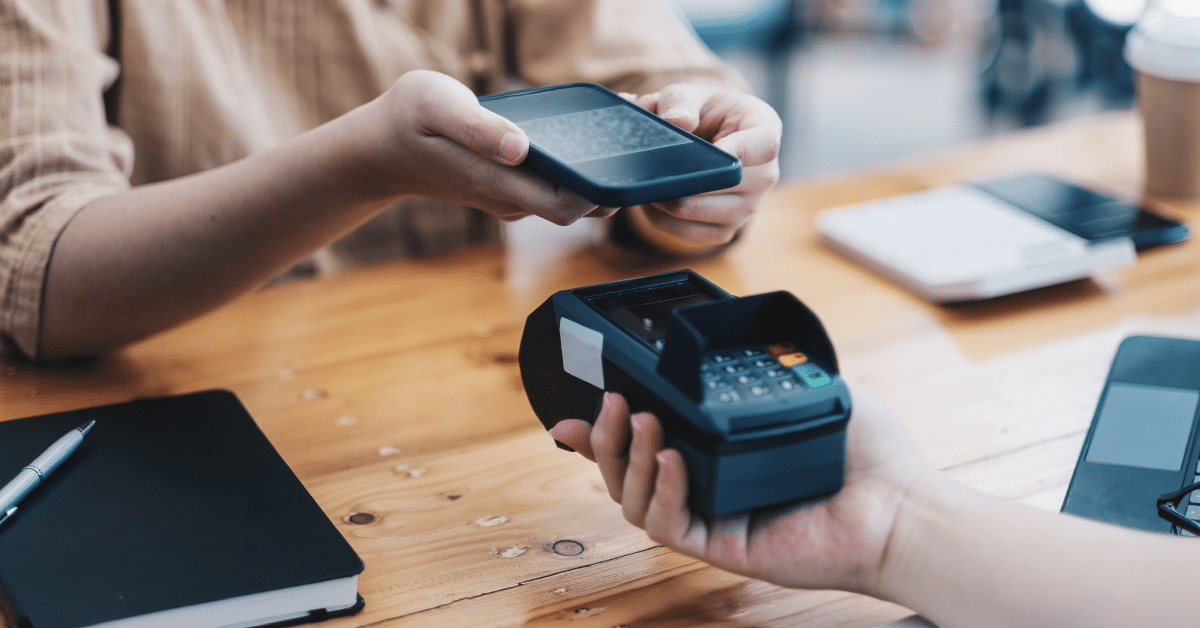
What is a POS system?
A POS, or Point of Sale system, is a combination of hardware and software that allows businesses to complete sales transactions. In the past, POS systems were nothing more than cash registers, used to calculate totals and print receipts. But today, they have evolved into sophisticated tools that not only handle payments but also track inventory, generate reports, and even assist with customer management.
Modern POS systems can be found in various forms, from traditional setups at retail stores to mobile POS devices used at markets and events. Many businesses also rely on cloud-based POS systems, which provide the convenience of accessing data from anywhere. Whether running a small boutique or a large chain, having a POS system streamlines operations and enhances the customer experience. It’s not just about processing payments; it’s about optimizing the entire sales process.
The importance of payment processing in POS systems
For businesses, payment processing is one of the most critical aspects of their POS system. A smooth payment experience ensures a steady cash flow, enhances customer satisfaction, and reduces checkout time. Whether a customer pays with a credit card, mobile wallet, or even cryptocurrency, a good POS system ensures the transaction is secure and quick.
Additionally, modern POS systems integrate with various payment providers, allowing businesses to accept multiple payment methods. This flexibility is essential in today’s digital economy, where customers expect convenience. A system that accepts all major credit and debit cards, mobile payments like Apple Pay or Google Pay, and even contactless transactions creates a hassle-free experience for shoppers and businesses alike.
Different types of POS systems and their benefits
POS systems come in various forms, each tailored to different business needs. Choosing the right system depends on factors like business size, customer volume, and the type of products or services offered.
Traditional POS systems
These are the standard countertop systems found in supermarkets, restaurants, and department stores. They consist of a computer, receipt printer, barcode scanner, and cash drawer. Traditional POS systems are highly reliable and offer a range of features, including inventory management and sales tracking. They are ideal for businesses with high transaction volumes and dedicated checkout counters.
Mobile POS systems
Mobile POS (mPOS) systems allow businesses to process payments using tablets or smartphones. These systems are widely used by small businesses, street vendors, and pop-up shops. Since they are portable, they allow for transactions on the go, making them an excellent choice for businesses that operate in different locations.
Cloud-based POS systems
Cloud-based POS systems store transaction data online, making it easy for business owners to access real-time sales reports from anywhere. These systems are particularly beneficial for businesses with multiple locations, as they provide centralized data access. Cloud-based POS systems also automatically update software, ensuring businesses stay compliant with the latest security measures.
Self-service kiosks
Self-service kiosks are increasingly popular in fast-food restaurants, airports, and retail stores. These systems allow customers to place orders and make payments without staff assistance. By reducing waiting times and labor costs, self-service kiosks improve efficiency and enhance customer experience.

Key features of modern POS systems
A well-equipped POS system does more than just process payments. Some essential features that businesses look for in a POS system include:
- Inventory management: Helps businesses track stock levels and avoid shortages or overstocking.
- Customer relationship management (CRM): Stores customer data to create personalized shopping experiences.
- Reporting and analytics: Provides insights into sales trends, helping businesses make informed decisions.
- Multi-payment support: Accepts credit cards, debit cards, mobile payments, and digital wallets.
- Security features: Protects sensitive customer information through encryption and fraud detection mechanisms.
The step-by-step guide to using a POS system
A POS (Point of Sale) system is essential for modern businesses, helping them streamline sales and transactions efficiently. While it may seem complicated at first, using a POS system follows a simple and organized process. Here’s a detailed step-by-step guide to using a POS system effectively.
Logging into the POS system
The first step is to log in using a unique user ID and password. This ensures that each transaction is recorded under the correct employee’s name, maintaining accountability and tracking sales performance. Some advanced POS systems also use fingerprint or facial recognition for added security.
Adding items to the cart
Once logged in, you can begin adding items to the customer’s purchase list. The most common way to do this is by scanning the barcode, which automatically enters the product’s details into the system, including the name, quantity, and price. If an item does not have a barcode, you can manually search for it in the system’s inventory or enter the details manually. Some POS systems also allow you to save frequently purchased items for faster access.
Applying discounts and promotional offers
If a customer is eligible for a discount or a special promotion, you can apply it directly through the POS system. Discounts can be a fixed amount or a percentage of the total bill. Some systems require entering a coupon code, while others may apply discounts automatically based on store policies. Ensuring proper application of discounts helps maintain customer satisfaction and business profitability.
Choosing the preferred payment method
After adding all items and applying any applicable discounts, the next step is to choose the payment method. Modern POS systems support multiple payment options, including:
- Cash payments, where the system calculates and displays the change required.
- Credit and debit card transactions, allowing customers to swipe, insert, or tap their cards.
- Mobile payment solutions like Apple Pay, Google Pay, or Samsung Pay for contactless transactions.
- Online payment integrations for businesses that accept remote payments.
Processing the payment
Once the payment method is selected, the system processes the transaction. For card payments, the POS system securely communicates with the payment processor to verify the customer’s bank account or credit limit. This involves checking for sufficient funds and security verification before approval. In the case of cash payments, the system automatically calculates any change that needs to be given to the customer.
If the payment is declined, the POS system displays an error message, prompting the cashier to ask for an alternative payment method. Some systems also allow splitting payments between different methods, such as part cash and part card.
Issuing a receipt and completing the sale
After a successful payment, the POS system generates a receipt. Depending on the setup, you can provide a printed copy or send a digital receipt via email or SMS. Digital receipts are becoming increasingly popular as they are eco-friendly and reduce paper waste.
The system then records the transaction, updates the inventory levels accordingly, and logs the sale under the respective employee’s record. If a customer has a loyalty account, the system can automatically add reward points or notify them about ongoing promotions.
How payment processing works in a POS system
Payment processing in a POS system is more than just swiping a card or collecting cash. It involves several security and verification steps to ensure safe and accurate transactions. Here’s how the process works:
Capturing and securing transaction data
When a customer initiates a payment, the POS system collects crucial data, including card details and the transaction amount. To ensure security, this data is encrypted before being sent to the payment processor. Encryption prevents unauthorized access to sensitive customer information.
Verifying and authorizing the payment
Once the payment request reaches the processor, it is forwarded to the customer’s bank or credit card network (such as Visa, Mastercard, or American Express). The bank then checks:
- Whether the account has sufficient funds or credit limit.
- If there are any security flags or fraud alerts.
- Whether the transaction aligns with the customer’s usual spending pattern.
If everything is in order, the bank approves the transaction and sends a confirmation back to the POS system.
Completing the transaction and fund transfer
Upon receiving authorization, the POS system finalizes the payment and provides a receipt to the customer. The bank then places a hold on the transaction amount, ensuring that the merchant receives the funds. Depending on the processing time, the funds are usually transferred to the business’s account within a day or two.

The essential components of a POS payment processing system
A point-of-sale (POS) system may seem straightforward, but beneath the surface, it consists of multiple interconnected components that enable smooth payment processing and transaction management. These elements work together to ensure that businesses can handle payments efficiently while also tracking inventory and managing customer interactions.
Hardware components
The hardware of a POS system includes all the physical tools that facilitate transactions. The core component is the terminal, where payments are processed, but there are several additional devices that enhance the system’s functionality:
- Barcode scanner: Quickly scans product codes, reducing manual entry errors and speeding up transactions.
- Card reader: Accepts debit and credit card payments, often supporting contactless and mobile payment options.
- Receipt printer: Generates paper receipts for customers who require physical proof of purchase.
- Cash drawer: Stores physical currency securely, ensuring easy access for cash transactions.
- Touchscreen monitor: Allows employees to navigate the POS software quickly and efficiently.
With evolving technology, many POS systems now integrate cloud-based hardware, eliminating the need for bulky setups and making mobile transactions more accessible.
Software functions
POS software is the backbone of the system, handling everything from transaction processing to sales analytics. Some of the key functions include:
- Transaction management: Ensures payments are processed securely and swiftly, whether through cash, card, or digital wallets.
- Inventory tracking: Automatically updates stock levels as sales are made, reducing errors and preventing stockouts.
- Customer relationship management (CRM): Stores customer purchase histories, preferences, and loyalty program details to improve service.
- Sales reporting and analytics: Generates real-time insights into revenue trends, helping businesses make data-driven decisions.
- Employee management: Tracks staff performance, work hours, and sales contributions, aiding in workforce optimization.
With modern cloud-based POS software, businesses can access their data remotely, ensuring real-time monitoring and seamless updates across multiple locations.
Security and data protection
Since POS systems handle sensitive financial data, robust security measures are essential. Businesses must implement the following strategies to protect customer information:
- Encryption: Scrambles payment details before transmission, making it nearly impossible for cybercriminals to intercept sensitive data.
- Tokenization: Replaces real card details with unique codes, preventing unauthorized access.
- Compliance with PCI-DSS standards: Ensures businesses meet the highest security standards for handling card transactions.
- Regular security audits: Helps identify vulnerabilities before they become threats, keeping the POS system safeguarded from potential breaches.
- Multi-factor authentication (MFA): Adds an extra layer of protection by requiring multiple verification steps before accessing the system.
By prioritizing security, businesses can build trust with customers and prevent data breaches that could lead to financial losses and reputational damage.
The importance of efficient payment processing in POS transactions
Efficient payment processing is essential for both businesses and customers. A seamless checkout experience enhances customer satisfaction, making them more likely to return, while businesses benefit from improved operational efficiency.
A fast and accurate POS system reduces manual errors, shortens transaction times, and prevents long queues. Customers appreciate a smooth payment experience, especially during peak hours when delays can lead to frustration. A well-optimized POS system also minimizes discrepancies in sales records and ensures accurate financial reporting.
For businesses handling large transaction volumes, automation features within a POS system—such as digital invoicing, contactless payments, and automated sales reporting—significantly improve workflow efficiency. Additionally, the ability to process multiple payment methods, including e-wallets and cryptocurrency, caters to a broader customer base.
Common challenges in POS payment processing and how to solve them
Despite technological advancements, POS systems can still encounter challenges. Addressing these issues proactively ensures uninterrupted operations and better customer experiences.
Technical issues and hardware malfunctions
POS hardware, including card readers, barcode scanners, and printers, may malfunction due to wear and tear or software glitches. To prevent disruptions:
- Conduct routine maintenance and updates.
- Keep backup equipment ready in case of hardware failure.
- Train employees on troubleshooting basic issues to minimize downtime.
Network connectivity problems
Many modern POS systems rely on an internet connection to process transactions. If the network experiences slow speeds or outages, businesses may face transaction failures. To mitigate this:
- Use an offline mode that allows temporary transaction storage until connectivity is restored.
- Invest in a reliable internet provider with backup options such as mobile data or dual-band connections.
- Regularly check and optimize the network setup to ensure stable connections.
Data security threats and compliance requirements
Cyber threats such as hacking, phishing, and malware attacks pose risks to POS systems. To enhance security:
- Implement end-to-end encryption and tokenization to protect transaction data.
- Regularly update software to patch vulnerabilities.
- Educate employees on recognizing security threats, such as phishing scams.
- Utilize secure authentication methods, such as biometric verification or strong password policies.
By staying vigilant and investing in robust security measures, businesses can maintain a safe and efficient POS system that enhances customer trust.
Tips to ensure payments are processed safely
In an increasingly digital world, securing point-of-sale (POS) transactions is vital for businesses and customers alike. Cyber threats are constantly evolving, making it essential for businesses to adopt robust security measures. Implementing secure payment processing not only protects financial data but also builds customer trust and prevents costly data breaches. Here are some key strategies to ensure safe payment processing.
Implementing encryption and tokenization
Encryption plays a crucial role in securing transactions by converting sensitive data into unreadable code that can only be deciphered with the correct decryption key. This prevents cybercriminals from accessing cardholder information during transactions.
Tokenization adds an additional layer of security by replacing actual card details with unique, randomly generated tokens. These tokens have no real value and are only valid for the specific transaction they were created for. This ensures that even if a hacker gains access to the data, it is useless to them. Implementing both encryption and tokenization significantly reduces the risk of fraud and unauthorized access to customer information.
Adhering to PCI-DSS compliance standards
The Payment Card Industry Data Security Standard (PCI-DSS) is a set of regulations designed to ensure that businesses handle cardholder information securely. Compliance with these standards helps businesses minimize security risks and protect customer data.
Regular security audits and vulnerability assessments are essential to maintaining PCI-DSS compliance. Businesses should also enforce strict access controls, restricting data access only to authorized personnel. By following PCI-DSS guidelines, companies demonstrate their commitment to safeguarding payment information and reducing potential liability in case of a breach.
Keeping POS software and hardware updated
Using outdated POS software and hardware can expose businesses to security vulnerabilities. Hackers often target older systems that lack the latest security patches. Regular updates ensure that businesses benefit from the latest security enhancements and bug fixes.
Newer POS hardware comes with built-in security features such as biometric authentication and advanced encryption protocols. Businesses should schedule routine maintenance checks and software updates to prevent security gaps. Additionally, investing in modern POS systems can provide long-term protection against evolving cyber threats.
Training employees on secure payment practices
Human error is a leading cause of security breaches, making employee training a critical aspect of payment security. Employees should be educated on recognizing phishing attempts, handling customer data securely, and reporting suspicious activity.
Encouraging strong password practices, such as using unique and complex passwords, can further enhance security. Businesses should also implement multi-factor authentication (MFA) for POS system access, ensuring that unauthorized individuals cannot gain entry. A well-informed team can act as the first line of defense against security threats.
Implementing fraud detection and monitoring systems
Fraud detection tools use artificial intelligence (AI) and machine learning algorithms to identify unusual transaction patterns and potential fraudulent activities. These systems provide real-time alerts, enabling businesses to take immediate action in case of suspicious transactions.
Regular monitoring of transaction records helps detect anomalies such as duplicate transactions or unauthorized refunds. By implementing robust fraud prevention measures, businesses can significantly reduce the risk of financial losses and fraudulent chargebacks.
Conducting regular security audits
Performing periodic security audits helps identify vulnerabilities before cybercriminals can exploit them. Businesses should conduct thorough assessments of their payment infrastructure, reviewing access controls, encryption settings, and employee adherence to security policies.
Hiring third-party security experts for audits can provide an unbiased evaluation of the company’s security posture. Businesses should use audit findings to strengthen their security measures and address any weaknesses proactively.

How to choose the right POS system for your business
Selecting the right POS system is a crucial decision that impacts a business’s efficiency, customer experience, and security. With various options available, businesses must evaluate their specific needs and choose a system that aligns with their operations. Here’s what to consider when selecting a POS system.
Evaluating cost, ease of use, and features
The cost of a POS system varies depending on its features, capabilities, and service provider. While affordability is important, businesses should not compromise on essential security and functionality. It’s crucial to consider both the initial investment and ongoing costs such as software updates, transaction fees, and support services.
Ease of use is another important factor. A user-friendly interface ensures that employees can quickly learn and operate the system, reducing training time and improving efficiency. Features such as contactless payments, inventory management, and customer relationship management (CRM) tools can further enhance business operations.
Choosing a system based on business type and size
Different businesses have unique POS requirements. For example, a retail store may need a system with advanced inventory tracking, while a restaurant might prioritize order management and table reservations. Small businesses may benefit from cloud-based mobile POS systems that offer flexibility and lower costs. In contrast, larger enterprises may require more robust, feature-rich POS solutions with integrated security measures.
Understanding business-specific needs allows companies to choose a POS system that optimizes operations while ensuring seamless payment processing.
Assessing security features and compliance
Security should be a top priority when choosing a POS system. Businesses should opt for systems with end-to-end encryption, tokenization, and compliance with PCI-DSS standards. Systems with built-in fraud detection mechanisms provide an additional layer of protection against unauthorized transactions.
Businesses should also consider POS solutions that support biometric authentication and two-factor authentication (2FA) for secure access control. Choosing a secure POS system not only protects customer data but also helps businesses maintain compliance with regulatory requirements.
Reviewing vendor support and reliability
Reliable customer support is essential for resolving technical issues promptly. Businesses should choose POS providers with responsive customer service, 24/7 support options, and comprehensive training resources.
Reading reviews and seeking recommendations can help businesses assess a vendor’s reliability. Opting for a provider with a strong reputation in the industry ensures long-term support and system reliability.
Final note
Reliable payment processing within POS systems is key to a smooth business operation. A seamless POS transaction keeps customers happy, reduces errors, and boosts efficiency. By choosing the right POS setup, ensuring strong security, and staying updated with emerging trends, businesses can provide a solid checkout experience that fosters customer trust.
FAQs
When using a POS device, how must the payment be processed?
When using a POS device, the payment must be processed securely and efficiently. This typically involves several steps: data capture, authentication, authorization, and confirmation. The device reads the payment information, which is then encrypted and sent to the payment processor. The processor contacts the customer’s bank to confirm funds are available and once approved, the transaction is completed, and a receipt is issued. This structured process ensures each payment is valid, secure, and finalized promptly.
What are the benefits of using a POS system?
A POS system streamlines sales transactions, enhances inventory management, and provides detailed sales reports. It improves customer service by speeding up checkouts and reducing errors, leading to increased efficiency and profitability.
How does a POS system integrate with inventory management?
Modern POS systems automatically update inventory levels with each sale, providing real-time stock data. This integration helps prevent overstocking or stockouts, ensuring optimal inventory control and informed purchasing decisions.
Can a POS system process multiple payment methods?
Yes, POS systems can handle various payment types, including cash, credit/debit cards, mobile payments, and contactless options. This flexibility caters to diverse customer preferences, enhancing the shopping experience.
How do mobile POS systems benefit businesses?
Mobile POS systems allow transactions anywhere within the store or off-site, offering flexibility and improved customer service. They are cost-effective and ideal for businesses like food trucks, pop-up shops, or events.